Real-Time 3D for the Web: Unity WebGL vs Three.js vs Pixel Streaming

You've got a 3D experience that needs to run in a browser. Maybe it's a virtual showroom where customers explore products in real time. Maybe it's a multiplayer game that thousands of people will play simultaneously. Maybe it's an architectural walkthrough that needs to look stunning on a client's laptop during a sales call.
The question isn't whether it's possible. It absolutely is. The question is which architecture you bet your next six months on.
I've shipped production applications using all three major approaches: Unity WebGL compiled to WebAssembly, Three.js running as native JavaScript, and Pixel Streaming pushing rendered frames from a GPU server. Each one solves the "3D in a browser" problem differently, and each one comes with tradeoffs that only become obvious once you're deep into production.
This isn't a theoretical comparison. I'm going to walk through what actually happens when you choose each path, what surprised me, what broke, and what I'd pick again. If you're a CTO evaluating options or a developer about to start a project, this should save you some expensive lessons.
Three Architectures, One Browser
Before diving into specifics, it helps to understand that these aren't just different tools. They represent fundamentally different philosophies about where computation happens and who pays for it.
Client-side compiled (Unity WebGL) takes a full game engine, compiles it to WebAssembly, and ships the entire thing to the user's browser. Everything runs on the client's hardware. The upfront download is heavy, but once loaded, there's no server dependency. The user's GPU does all the rendering, physics, networking, and logic. You're essentially distributing an application, not a web page.
Client-side lightweight (Three.js) is the web-native approach. It's a JavaScript library built directly on the WebGL API. There's no compilation step, no WebAssembly, no engine overhead. You write JavaScript (or TypeScript), import it via npm like any other package, and build exactly what you need. Nothing more, nothing less. It fits naturally into the modern web ecosystem: React, Next.js, Vite, all of it.
Server-side streamed (Pixel Streaming) flips the model entirely. The engine (Unity, Unreal, or any other renderer) runs on a GPU server in the cloud. It renders frames, encodes them as video, and streams them to the browser via WebRTC. The user's browser is essentially a video player with input forwarding. The client is thin; the server is doing everything.
These three approaches optimize for different constraints. Client-side compiled optimizes for interactivity and offline capability. Client-side lightweight optimizes for load speed and web integration. Server-side streaming optimizes for visual fidelity and device reach. Understanding which constraint matters most for your project is the entire decision.
Unity WebGL: The Full Engine in Your Browser
I've been building with Unity for over thirteen years, and Unity WebGL has been central to my work for a significant chunk of that time. The promise is compelling: take your full Unity project, hit "Build for WebGL," and get a browser application. The reality is more nuanced, but when you nail the optimization, the results are genuinely impressive.
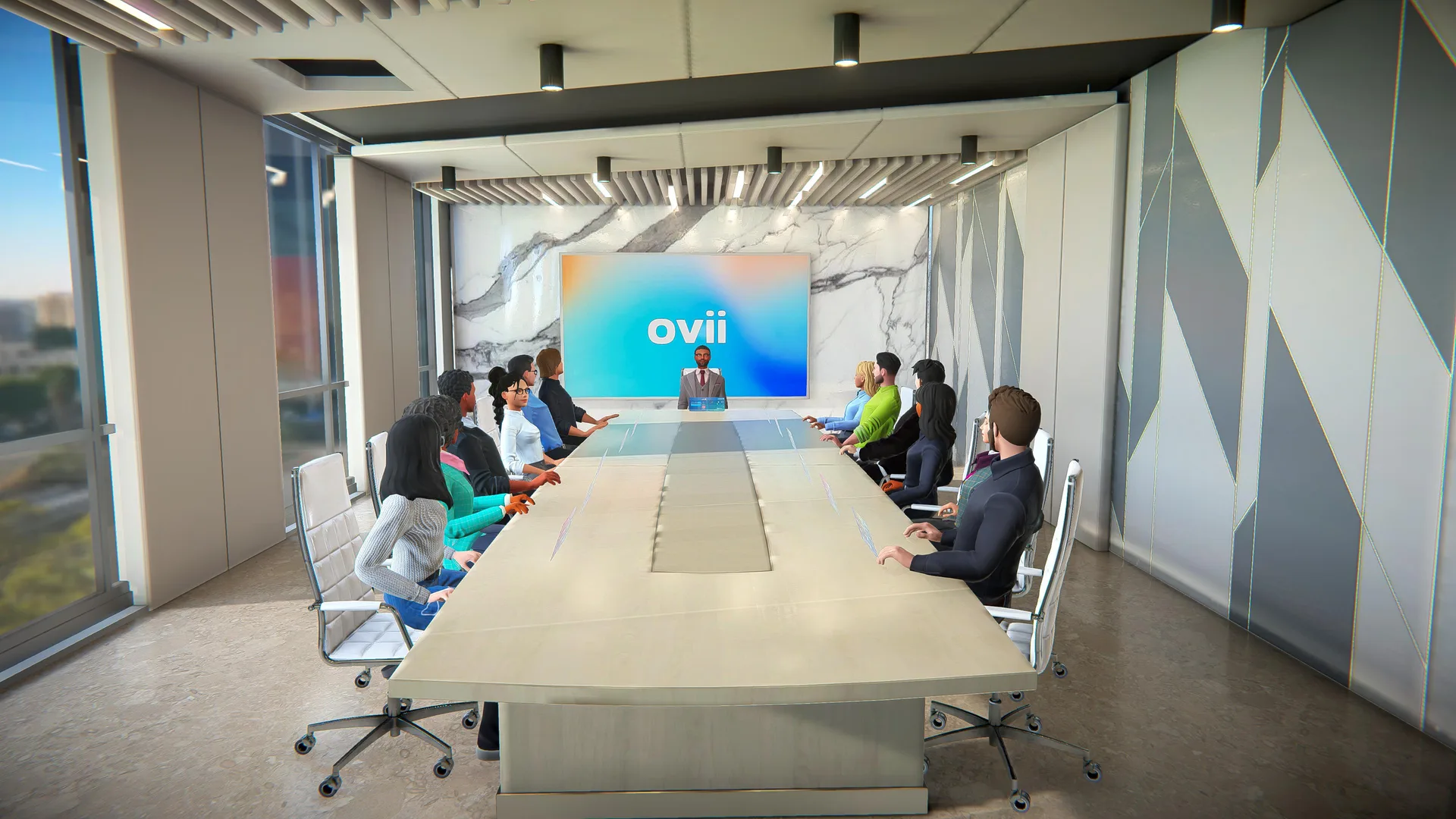
The best example I can point to is Viora, a multiplayer 3D conferencing platform I've been developing for over four years. It runs entirely in the browser via Unity WebGL. Users join virtual meeting rooms with real-time avatar synchronization, spatial audio, screen sharing, and WebRTC voice chat. All of that interactivity, the physics, the networking, the UI overlays, runs client-side in WebAssembly. There's no server rendering involved. The complexity that Unity handles out of the box (Netcode for GameObjects, the animation system, the UI toolkit) would take years to rebuild from scratch in any lightweight framework.
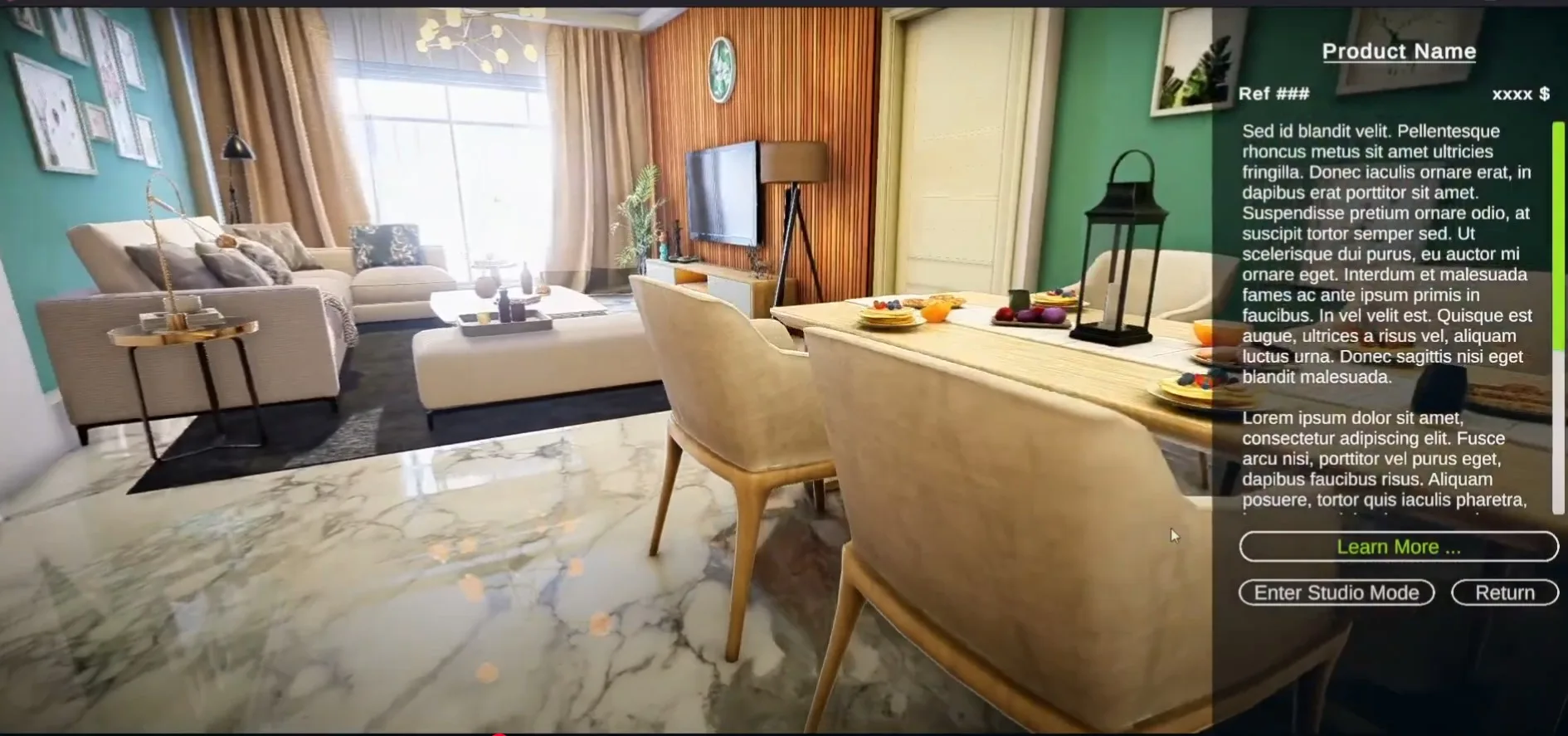
On the other end of the spectrum, VyronVee is a product visualization showroom where users explore a high-fidelity 3D environment with interactive hotspots, smooth camera transitions, and detailed product displays. The visual bar is high, and Unity's rendering pipeline delivers. But the build had to be carefully optimized: texture atlasing, aggressive LODs, shader stripping, and a loading strategy that prioritizes the first room while streaming the rest.

Then there's the mobile challenge. For the Duplex Archviz project, I targeted mobile browsers specifically. That meant keeping the build under 25MB, implementing runtime quality tiers that detect GPU capability, and handling touch input properly. Mobile WebGL is possible, but you're constantly fighting GPU memory limits and thermal throttling. Every draw call matters. Every texture needs to justify its resolution.
Here's what I've learned the hard way about Unity WebGL in production:
Performance budgets are non-negotiable. You need to set hard limits on draw calls, texture memory, and shader complexity before you start building, not after. Retrofitting optimization into a project that was built without constraints is painful and expensive.
Build size management is an ongoing battle. WebAssembly bundles, compressed assets, and streaming configurations all need attention. Users will abandon your experience if they're staring at a loading bar for thirty seconds.

Mobile is a second-class citizen. It works, and I've shipped it, but you're always operating within tighter constraints than desktop. Plan for quality scaling from day one.
The payoff is real. When you need complex interactivity (multiplayer, physics, rich in-app UIs, state machines), Unity WebGL gives you an entire engine's worth of battle-tested systems. That's not something you replicate quickly with a lighter framework.
Three.js: Lightweight, Web-Native, and Flexible
I want to be honest here: for certain use cases, Three.js is the better choice. Not every project needs a full game engine compiled to WebAssembly, and pretending otherwise would be bad advice.
Three.js shines when the 3D element is a component of a larger web experience, not the entire experience itself. Product viewers on e-commerce pages, interactive data visualizations, 3D landing page elements, configurators with a handful of objects. These are cases where you want fast initial loads, tight integration with your existing web stack, and no WASM overhead.
The ecosystem is genuinely great. React Three Fiber lets you write Three.js scenes as React components. Drei provides dozens of useful abstractions. Everything lives in npm, works with TypeScript, and plays nicely with Next.js, Vite, or whatever your team already uses. There's no separate editor, no C# compilation step, no build pipeline that lives outside your web toolchain. For a team of web developers, the onboarding friction is minimal.
Initial load times are where Three.js has a clear structural advantage. You're loading JavaScript, not a WebAssembly binary plus a compressed asset bundle. A simple Three.js scene can be interactive in under a second. A Unity WebGL build is rarely under five seconds even with aggressive optimization. For experiences where first-impression speed matters (and it usually does), that gap is significant.
But Three.js is a library, not an engine. That distinction matters as soon as your project grows beyond a certain complexity threshold. There's no built-in physics engine (you'll add Cannon.js or Rapier). There's no animation state machine (you'll build your own or find a community solution). There's no visual scene editor (your artists can't iterate without a developer). There's no networking layer, no audio system with spatial falloff, no UI framework designed for 3D overlays.
None of these are impossible to solve. But each one is a system you're building or integrating yourself. For a product viewer, that's fine. You don't need physics or multiplayer. For something like Viora's conferencing platform, with real-time avatar sync, spatial audio, and complex UI states, rebuilding those systems from scratch would be a project in itself.
The honest assessment: if your 3D needs are focused and your team is web-native, Three.js will get you to production faster with better load performance. If your 3D needs are complex and engine-level features are core to the experience, you'll eventually find yourself rebuilding what Unity already provides.
Pixel Streaming: Server-Rendered, Browser-Delivered
Pixel Streaming takes a completely different approach to the problem. Instead of shipping code to the browser and hoping the user's device can handle it, you run the full engine on a GPU server and stream the rendered output as video.
The technical flow is straightforward: a GPU server runs your Unity or Unreal application at full fidelity. Each frame is rendered, encoded (typically H.264 or VP8), and sent to the browser via WebRTC. The user's browser receives the video stream and displays it. When the user clicks, moves the mouse, or presses a key, that input is sent back to the server, the engine processes it, and the next frame reflects the result.
The visual fidelity ceiling is, in practical terms, unlimited. The server GPU determines the quality, not the user's hardware. Ray tracing, massive polygon counts, uncompressed textures: all possible because you're rendering on hardware you control. A user on a five-year-old Chromebook sees the same quality as someone on a high-end workstation. That's a powerful proposition for applications where visual quality is the selling point.
I've worked with Unity's Pixel Streaming implementation in production, and the architecture is fundamentally the same whether you're using Unity's Render Streaming package or Unreal's built-in Pixel Streaming plugin. The engine renders. The stream encodes. WebRTC delivers. The differences are in implementation details, not architecture.
Here's what most pitch decks don't tell you about the costs:
GPU servers are expensive, and they scale per session. Every concurrent user (or at minimum, every concurrent interactive session) needs GPU time. At cloud GPU pricing, this adds up fast. A Unity WebGL app that scales to 10,000 concurrent users costs you CDN bandwidth. A Pixel Streaming app at 10,000 concurrent users costs you thousands of GPU-hours per day.
Latency is inherent and unavoidable. The round trip (input to server, render, encode, transmit, decode, display) adds latency that doesn't exist in client-side rendering. For architectural walkthroughs and product viewers, it's barely noticeable. For anything requiring fast reactions (gameplay, precise manipulation), it ranges from annoying to unusable depending on the user's network.
No offline support. If the connection drops, the experience stops. There's no caching, no service worker fallback, no offline mode.
Scaling is an infrastructure problem. Instead of optimizing shaders and draw calls, you're managing GPU server fleets, auto-scaling policies, session routing, and geographic distribution. The skill set shifts from graphics programming to DevOps.
Pixel Streaming is the right call when visual fidelity is paramount, when your target devices can't handle client-side rendering, or when your concurrent user count is low enough that GPU costs are manageable. It's a poor fit when you need low latency, offline capability, or cost-effective scaling to large audiences.
When You Need More Than One
Sometimes the answer isn't picking one architecture. Sometimes it's using two.

I learned this on Racino.io, a browser-based multiplayer racing game. The initial build was pure Unity WebGL. Players controlled their vehicles in real time, placed bets, and watched races unfold, all running client-side.
Once we had production data, something interesting became clear: a large portion of sessions were spectators.
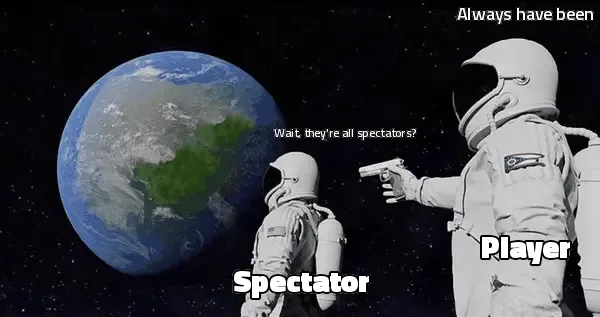 They weren't controlling vehicles or interacting with complex UI. They were watching race replays and live events. We were streaming a full interactive WebGL client, complete with physics, input handling, and game logic, to users who were essentially watching a video.
That was wasteful. The WebGL client was heavier than it needed to be for passive viewing, and every spectator device was doing real-time rendering for no reason.
The pivot was straightforward: keep Unity WebGL for active players who need full interactivity, and introduce Pixel Streaming for the spectator experience. Spectators got a high-quality stream without downloading anything, and because spectator sessions could share a single server-side render (multiple viewers watching the same race), GPU costs stayed reasonable.
The lesson here is worth remembering: the right architecture can change based on how people actually use your product, not how you assumed they would. Build with real usage data when you have it. And don't be afraid to mix approaches if different user segments have genuinely different needs.
Side-by-Side Comparison
| Unity WebGL | Three.js | Pixel Streaming | |
|---|---|---|---|
| Initial load time | Slow (WASM + assets) | Fast | Instant (stream connect) |
| Visual fidelity ceiling | High (engine-limited) | Medium | Unlimited (server GPU) |
| Mobile support | Limited (GPU/memory) | Good | Good (thin client) |
| Multiplayer | Built-in (Netcode) | DIY | Possible but complex |
| Hosting cost | Static CDN | Static CDN | GPU servers ($$) |
| Dev ecosystem | Unity Editor, C# | npm, JS/TS | Unity Editor + infra |
| Offline support | Yes (cached) | Yes | No |
| Scaling model | Client-side (free) | Client-side (free) | Per-session GPU cost |
| Input latency | None | None | Network-dependent |
| Complex UI/UX | Strong (Unity UI) | DIY or HTML overlay | Strong (engine-native) |
No single column wins across every row. Each approach has clear strengths and equally clear limitations. The "best" choice is entirely contextual, which is why the comparison table is a starting point for discussion, not a final answer.
How to Choose
After shipping projects across all three approaches, here's the framework I use when a client asks me to recommend an architecture.
Pick Unity WebGL when:
- Users need rich interactivity: gameplay, 3D navigation, object manipulation
- You need built-in systems like physics, multiplayer (Netcode), or real-time collaboration
- The experience has complex UI requirements within the 3D context
- You can invest in proper optimization for your target devices
- Offline or low-connectivity support matters
Pick Three.js when:
- The 3D element is part of a larger web application, not the entire product
- Fast initial load times are critical to conversion or engagement
- You're building product viewers, data visualizations, or interactive landing pages
- Your team is web-native (JavaScript/TypeScript) and doesn't want to adopt a game engine
- You need tight integration with existing web frameworks like React or Next.js
Pick Pixel Streaming when:
- Visual fidelity requirements exceed what client-side rendering can deliver
- Users are primarily viewing content, not heavily interacting with it
- You need to support very low-end devices with high-quality visuals
- Your concurrent user count is manageable relative to GPU server costs
- The experience requires rendering capabilities (ray tracing, massive scenes) that browsers can't handle
Consider a hybrid approach when:
- Different user segments have fundamentally different interaction patterns (like the Racino spectator/player split)
- Your product has both active and passive modes
- Usage data reveals that one-size-fits-all is leaving performance or money on the table
Wrapping Up
There's no universally correct answer here. The right choice depends on what you're building, who's using it, and how they're using it. Architecture decisions in real-time 3D are always about tradeoffs, and the best thing you can do is understand those tradeoffs clearly before you commit.
If you want to see these approaches in production, take a look at my projects. Each one tells the story of a different set of constraints and decisions.
If you're deciding between Unity WebGL, Three.js, or streaming, drop me a few lines about your project and I'll help you figure it out.
If Unity fits your product, I can help with Unity WebGL development, from a first MVP to mobile-compatible experiences and optimization of existing builds.

Senior Unity Engineer & Technical Artist building real-time 3D experiences. Shaders, multiplayer systems, environment art, and WebGL optimization.